
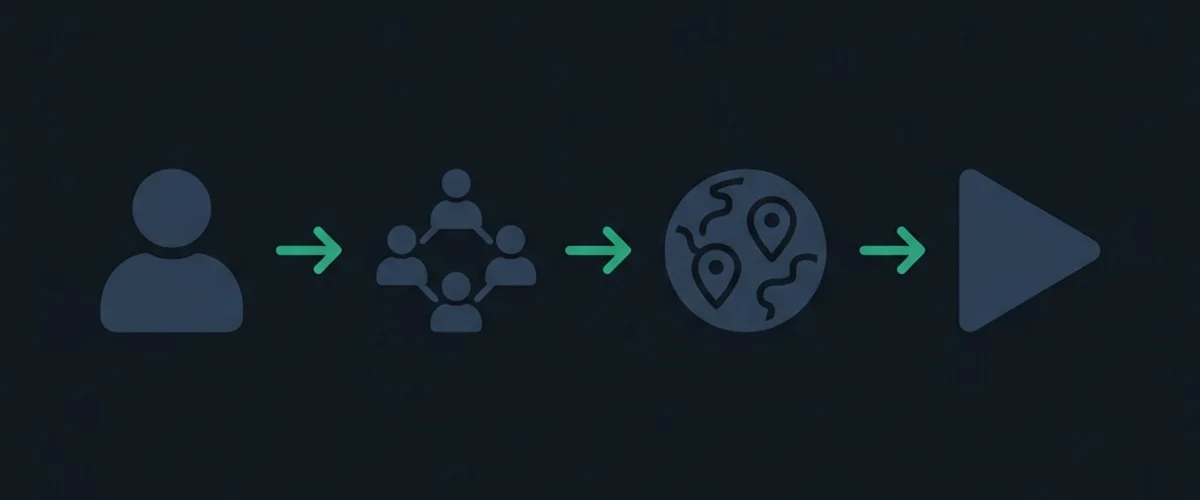
Meccha Chameleon is designed as a social party experience. While playing in public matchmaking is a great way to hone your skills, the real fun lies in hosting private lobbies with friends. Since the game relies on peer-to-peer (P2P) connections, matchmaking requires some understanding of lobby settings, invite systems, and network configurations.
v4.1.0 replaced the legacy server browser with 5-character join codes. This guide uses that flow.
1. Hosting a Lobby: Step-by-Step
Hosting a room makes your PC the server for the match. If you have the strongest internet connection in your group, you should be the host to minimize lag spikes for other players.
[Main Menu] ──> [Multiplayer] ──> [Host Game] ──> [Region tag + settings] ──> [Launch Lobby]- Select Host Game: From the main menu, navigate to
Multiplayerand clickHost Game. - Region tag (required in v4.1.0+): Pick a region tag before going live.
- Lobby Visibility: Public waiting lobbies can appear in search; in-progress matches are hidden by default (toggleable in options). Private lobbies still prefer join codes / Steam invites.
- Set a Password: Recommended even for private lobbies. See Lobby Password Fix if passwords fail.
- Copy the join code: Note the 5-character alphanumeric code shown in-game (verifiable on the host UI).
2. Inviting Friends
Method A: Join code (recommended)
- Host copies the 5-character join code.
- Share it in Discord/chat — use Join Code Share for a formatted block.
- Friends open Multiplayer search, match the region tag, enter the code, then password if set.
- Prefer a waiting lobby — in-progress games are filtered from public search by default.
Method B: Steam Invites (optional)
- Launch the lobby and load into the pre-game staging room.
- Open Steam Overlay (Shift + Tab) → Invite to Play.
- If invites fail, fall back to the join code — see Invite Not Working.
3. Version Matching and Game Branches
All players must run the exact same client version.
- Check the Build String: Title-screen version must match (site badges track v4.1.1).
- Voice (v4.1.1): unmute incoming listen + your mic, or use the new disable voice option if you prefer Discord-only.
- Update Steam Client: Close the game and restart Steam to force the update queue.
- Beta Branch Sync: Everyone must use the same Steam Beta branch if testing.
- Persistent issues: Version Mismatch.
4. Map Selection & Custom Workshop Content
- Official Stages: Start on Mansion, or try Kyoto / Art Museum (v4.1.0), Shopping Mall, Deep Sea, Exit 8, Greece (reworked in v4.1.0).
- Petit Chameleon (×0.5): Host must allow this body scale (v4.0.0).
- Workshop: Host subscribes; joiners download on connect. Prefer auto-updating mods after the Aug 22 hotfix.
5. Voice Chat Configuration
- Muted by default (v3.5.0+): Unmute before expecting proximity voice. Voice toggle plays a sound effect as of v4.1.0.
- Proximity vs Discord: Use Discord if P2P voice is unstable.
- Threshold tips: Mic Not Working.
6. Recommended Settings by Group Size
Adjusting lobby configurations keeps matches balanced depending on how many players are in your session.
| Group Size | Roles | Time Limit | Whistle Timer | Map Recommendation |
|---|---|---|---|---|
| 2–3 Players | 1 Seeker / 1–2 Hiders | 3 Minutes | 60 Seconds | Mansion (Official) |
| 4–6 Players | 1 Seeker / 3–5 Hiders | 4 Minutes | 45 Seconds | Kyoto or Penguin Hotel |
| 7–10 Players | 2 Seekers / 5–8 Hiders | 5 Minutes | 30 Seconds | Shopping Mall or Sewer |
7. Troubleshooting Lobby Connection Failures
If you cannot connect to your friends, follow this rapid-fire solution checklist:
- Host Network Isolation: Turn on UPnP in your router settings. P2P lobbies require this to route incoming traffic.
- Firewall Blockage: Ensure Windows Defender has not blocked the game executable. Allow
MecchaChameleon.exethrough both public and private networks. - Steam Account Status: Set your Steam profile status to Online. If you are set to “Invisible” or “Offline”, you cannot host or receive Steam invite alerts.
- Network Doctor: For deep network issues like Double NAT or router port configuration, visit our comprehensive Network NAT Fix Guide.
8. Streamer & Large-Party Hosting
Hosting for 8+ players or a live audience adds constraints beyond a normal friend group. The game still uses P2P hosting, so your upload bandwidth and router stability become the bottleneck.
- Use a wired host: Wi-Fi hosts often cause voice packet loss and desync in large lobbies. Put the host PC on Ethernet before opening the room.
- Discord for big groups: Proximity voice is fun for 4–6 players, but streamer lobbies usually run cleaner on Discord with push-to-talk. See Voice Chat Not Working if you mix both.
- Hide credentials on stream: Enable Streamer Mode in Settings > Gameplay and follow the Streamer Viewer Lobby Setup guide so passwords and invite codes do not appear on OBS.
- Pick scalable modes: For viewer participation, Increasing Oni keeps eliminated players in the hunt instead of long spectator stretches—better for Twitch and YouTube chat engagement.
- Cap workshop map size: Custom stages with heavy props increase load times for joiners. Start official maps for debut streams, then rotate Workshop content once the lobby is stable.
9. Pre-Flight Host Checklist (Copy Before Inviting)
Run through this list once per session before sharing the join code:
[ ] Game updated to same build as friends (v4.1.1+ on title screen)
[ ] Beta branch matches for everyone (Steam > Properties > Betas)
[ ] Host on wired connection; UPnP enabled or ports forwarded
[ ] Region tag selected + password set
[ ] 5-character join code copied (verify in-game)
[ ] Windows Firewall allows MecchaChameleon.exe
[ ] Voice unmuted; Discord fallback ready for 8+ players
[ ] Map picked: official for first match, Workshop only if host pre-subscribed
If a friend still fails after this checklist, send them to the Invite / Join Code Fix flowchart first—most join failures are host-side NAT, not client bugs.
Join-Failure Quick Reference
| Error / behavior | Most common fix |
|---|---|
| ”Connecting…” then timeout | Host enables UPnP or forwards UDP 27015–27030 |
| Version mismatch | Everyone restarts Steam / console; sync to v4.1.1 |
| Password rejected | Re-type; avoid special characters—see Lobby Password Fix |
| Workshop map stuck loading | Host must subscribe first; joiners wait for auto-download |
| Can’t find lobby / empty search | Use the 5-character join code; in-progress matches are hidden by default |