
Summary
v2.9.0 shipped glow-in-the-dark paint with adjustable brightness, a paint performance pass, and a HIKAKIN Museum taunt volume tweak (July 18–19, 2026). Superseded for “latest build” by fix3.5.1 (Exit 8 / friend-server search era). Related majors: v3.0.0 (Greece), v3.5.0 (Exit 8).
Confirm the build string on the title screen matches your lobby. Official wording: Steam news hub.
What changed
1. Glow-in-the-dark paint (adjustable brightness)
A new glow / emissive paint material is available in the paint menu. Use it to mimic neon signs, LED indicators, screens, and other self-lit props.
- Open paint with F, pick the glow material, then adjust the brightness slider.
- Match nearby emissive surfaces — do not crank brightness on matte drywall or you will look like a lantern under seeker flashlights.
- Full workflow: Painting Basics · advanced neon tricks: Advanced Painting.
2. Paint performance improved
Brush and paint UI feel slightly smoother after the v2.9.0 paint pass (especially useful on low-end PCs and Steam Deck). If FPS still dips while painting: Low-End PC Settings.
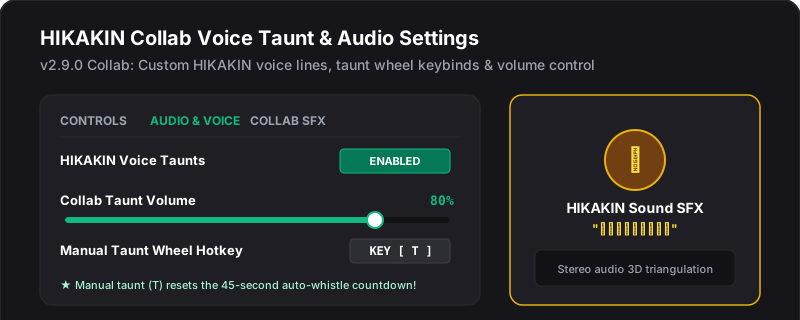
3. HIKAKIN Museum — unique taunt volume adjusted
The HIKAKIN collaboration-exclusive taunt sound volume was retuned. Score-run players on that map should retest proximity multipliers — see Taunt Timing.
What did not change
| Topic | Still on |
|---|---|
| Death Burger official map | v2.8.0 |
| Egypt map + random lottery toggles | v2.7.0 |
| HIKAKIN Museum + controller alpha | v2.6.0 |
| Full controller UI in menus | Still pending — alpha in v2.6.0 |
Player checklist after updating
- Restart Steam and confirm v2.9.0 on the main menu.
- Host a new lobby (do not reuse old rooms across versions).
- Practice glow paint in a private lobby against neon / LED props before ranked.
- On HIKAKIN Museum, retest taunt distance after the volume tweak.
- If friends cannot join: Invite Not Working or Version Mismatch.
Official source
Mirrored from Steam Community Announcements update2.9.0 and community summaries (Game*Spark). Always prefer official Steam news if wording differs.