
Warehouse Workshop Map Guide
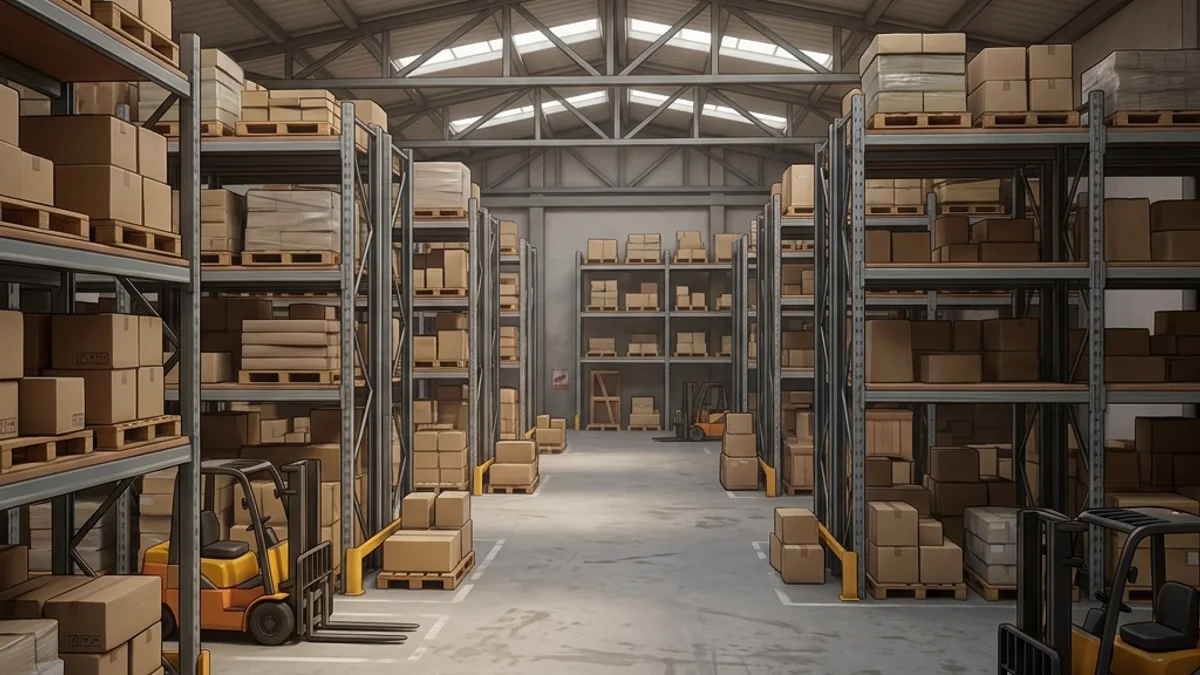
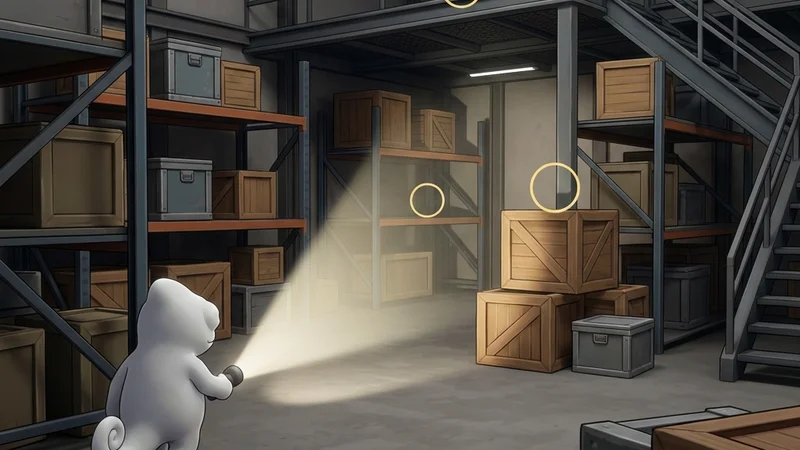
The Warehouse Workshop map is a large-sized, industrial warehouse level for Meccha Chameleon. The environment features cargo crates, forklifts, mezzanine catwalks, loading docks, and high ceilings with overhead cranes. The large industrial meshes and repeating metal wall textures make it a strong map for both vertical gameplay and pattern-based camouflage.
This guide provides a comprehensive breakdown of the map’s layout, hiding strategies, and seeker counter-tactics.
Map Overview & Layout Analysis
Warehouse is a two-level industrial space with distinct functional zones:
                        WAREHOUSE MAP LAYOUT

        +---------------------------------------------------+
        |              [Mezzanine Catwalk]                   |
        |            (Metal Grating & Railings)              |
        +--------+-------------------+----------------------+
        |        |                   |                      |
  [Loading | [Cargo Crate Grid]  [Forklift Zone]     [Office
  Docks]   | (Stacked Containers) (Vehicle Shadows)   Container]
        |        |                   |                      |
        +--------+-------------------+----------------------+
        |              [Main Floor / Crane Rail]             |
        |            (Open Floor & Overhead Crane)           |
+---------------------------------------------------+- Cargo Crate Grid: Stacked shipping containers and wooden crates create repeating rectangular patterns and deep shadows between them.
- Forklift Zone: Industrial vehicles with complex geometry break sightlines and cast large shadows.
- Mezzanine Catwalk: An elevated metal grating walkway overlooking the main floor. Strong vertical positioning but exposed to sightlines.
- Loading Docks: Open bay doors with exterior light spilling in. High contrast between lit and shadowed zones.
- Office Container: A small, enclosed office space within the warehouse. Tight interior with desk and filing cabinets.
Detailed Hider Strategies
1. Cargo Crate Pattern Alignment
The stacked crates create repeating rectangular patterns ideal for camouflage.
- Positioning: Stand flush against a crate face, aligning your body with the crate’s edge.
- Painting: Paint your body wood-brown or metal-grey to match the crate material. Add darker vertical lines to simulate crate panel seams.
- Reflectivity: Set roughness to
0.7for wooden crates or0.3for metal containers. - For paint alignment tips, see the Painting Basics Guide.
2. Forklift Shadow Blending
The forklifts cast large, complex shadows on the warehouse floor.
- Positioning: Stand directly behind a forklift, aligning your body with the vehicle’s shadow.
- Painting: Use dark grey tones matching the forklift’s mechanical components.
- Result: Seekers sweeping the forklift zone will see you as part of the vehicle’s shadow profile.
3. Mezzanine Catwalk Hiding
The metal grating walkway has railings and support beams that break silhouettes.
- Positioning: Stand behind a catwalk support beam, aligning your body with the beam’s vertical line.
- Painting: Use dark metal tones matching the catwalk’s steel structure.
- Result: The grating floor creates visual noise that masks your lower body outline.
4. Mezzanine Grate Ceiling Cling
The bottom of the elevated mezzanine floor is constructed of cross-hatched open metal grates.
- Positioning: Stand directly below the mezzanine stairs or floor panels, looking up.
- Painting: Paint your front body in a dark grey and white cross-hatched pattern to replicate the light filtering through the floor grates.
- Result: Seekers walking on the main floor looking upward will miss your outline, as it aligns with the ceiling’s grating texture.
Seeker Counters
1. Crate Aisle Sweeps
The cargo crate grid requires methodical clearing.
- Action: Walk each crate aisle slowly, checking behind and between stacked containers.
- Melee Strike: Use your primary melee attack to hit crate faces. Any physical obstacle that blocks your path is a hider.
- Shadow Check: Shine your flashlight between crates. Look for shadows that don’t match the crate geometry.
2. Catwalk Top-Down Scan
The mezzanine provides a strong vantage point for scanning the main floor.
- Action: Climb to the mezzanine and scan the cargo grid from above.
- Detection: Look for character models pressed against crate tops that cast extra shadows on the floor below.
3. Listening for Metal Footfall Sound Cues
The mezzanine catwalk and metal stairs make distinct metal clanging noises when walked on.
- Action: Stand still on the main floor and listen for metallic clangs.
- Detection: If you hear steps but no seekers are on the upper level, a hider is moving across the catwalk to adjust their paint.
- For shader compilation issues on this map, see the Shader Compilation Stuck Fix.
Platform Compatibility & Performance (CVL)
- Steam Deck: Rated Playable (with tweaks). Large meshes cause frame drops. Reduce texture quality and cap FPS to 30.
- Mac CrossOver: Rated Unstable. Large mesh rendering triggers crashes. Not recommended.
- Check the full Warehouse Compatibility details.