
Supermarket Workshop Map Guide
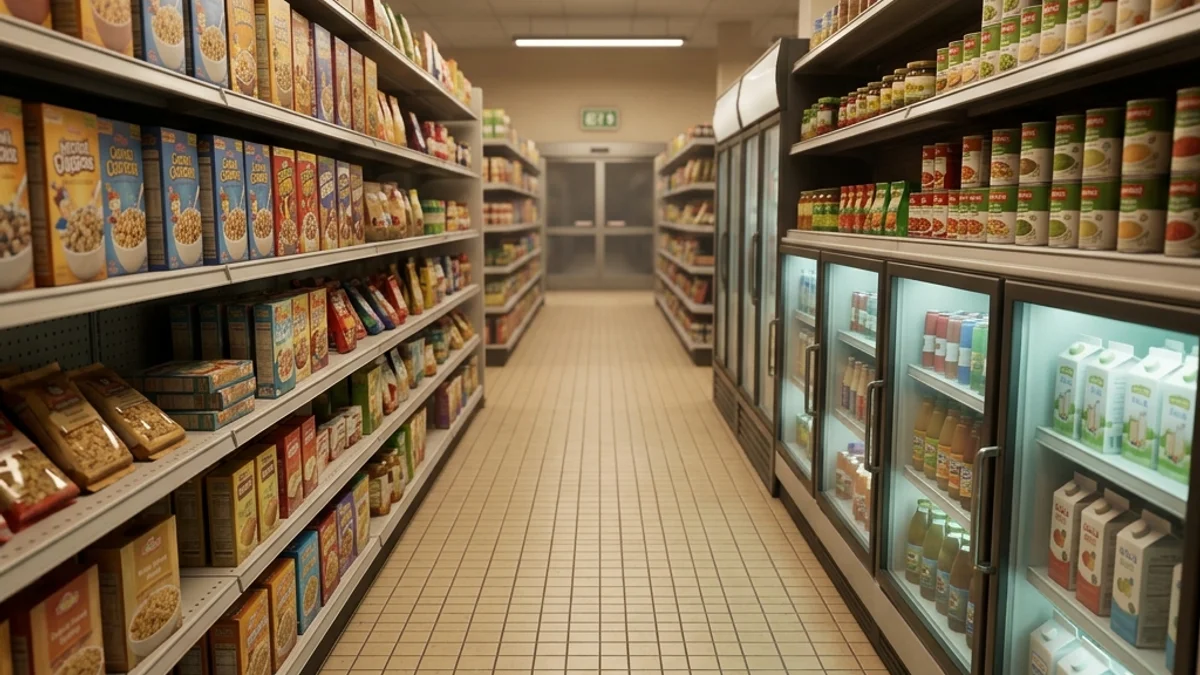
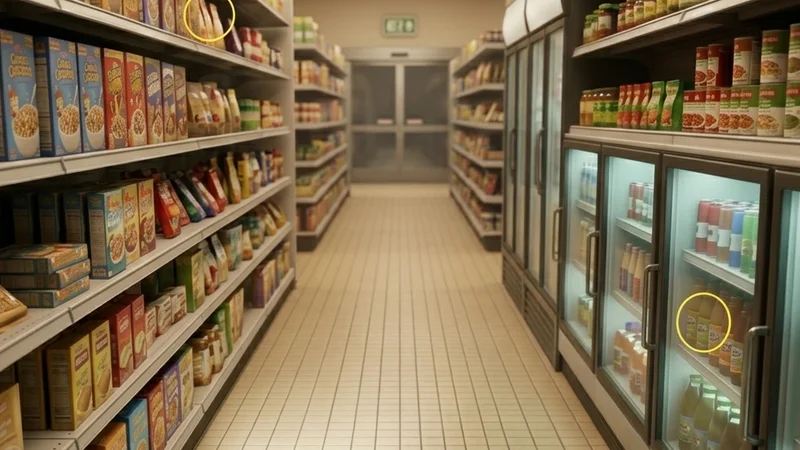
The Supermarket Workshop map is a large-sized, indoor map featuring a fully stocked, modern grocery store. It consists of multiple aisles packed with cereal boxes, canned goods, fresh produce bins, a bakery, a dairy and freezer section, checkout lanes, and a back employee warehouse. The flat, bright fluorescent lighting and extreme density of small, repeating items make it a playground for experienced hiders.
This guide provides a comprehensive breakdown of the map’s layout, strategic hiding spots, and seeker clearing routes to help you dominate the aisles.
Map Overview & Layout Analysis
The Supermarket is structured around long, linear aisles flanked by larger open zones at the front and back of the store:
                            SUPERMARKET MAP LAYOUT

       +-------------------------------------------------------------+
       |                        [Back Warehouse]                     |
       |                   (Cardboard Boxes & Pallets)               |
       +-------+--------------------+--------------------+-----------+
       |       |                    |                    |           |
       | [Cold |    [Aisle 01]      |    [Aisle 02]      | [Bakery & |
       | Room] | (Cans & Jars Grid) | (Cereal & Snacks)  |   Deli]   |
       |       |                    |                    |           |
       +-------+--------------------+--------------------+-----------+
       |                     [Produce & Fruit Bins]                  |
       |                     (Colorful Organic Shapes)               |
       +-------------------------------------------------------------+
       |                       [Checkout Lanes]                      |
       |                   (Registers & Conveyors)                   |
       +-------------------------------------------------------------+
[Entrance]- Produce & Fruit Bins: Located near the front. Features wooden crates filled with red apples, yellow bananas, and green leafy vegetables.
- Aisles 01 & 02: Long metal shelving structures. Aisle 01 contains canned items and glass jars, while Aisle 02 is packed with colorful cereal boxes and snack bags.
- Cold Room & Freezers: Line the left wall. Features sliding glass doors, metal racks, and blue neon accent lighting.
- Bakery & Deli: Located on the right. Contains wooden display tables, glass display cases with bread, cakes, and meat trays.
- Back Warehouse: The employee-only area containing large metal storage racks, wooden pallets, and cardboard boxes.
Detailed Hider Strategies
1. The Cereal Box Camouflage (Aisle 02)
The repeating rectangular packaging in the cereal aisle is perfect for breaking up the humanoid outline.
- Positioning: Stand directly on a shelf between two rows of cereal boxes.
- Alignment: Use the Crouch pose and align your shoulders horizontally with the boxes.
- Painting: Paint your body in horizontal blocks of bright red, yellow, and blue. Draw thin dark grey lines vertically on your sides to match the gap between individual boxes.
- Reflectivity: Keep your roughness at
0.6and metallic at0.0. Cardboard has no metallic properties, and a shiny hider will immediately stand out under the bright fluorescent lights.
2. The Produce Basket Blend (Fruit Bins)
The variety of organic shapes and bright colors makes this area chaotic for seekers to scan visually.
- Positioning: Sit or stand directly inside a half-empty wicker basket.
- Painting: Paint your lower body a textured brown to match the wicker basket patterns. Paint your upper body bright green or orange to simulate fruits stacked on top of each other.
- Angle: Rotate your character slightly off-grid. Natural fruit piles are not perfectly aligned, so an off-angle pose makes you look much more organic.
3. Freezer Glass Refraction (Cold Room)
The glass doors of the freezer cases add a layer of distortion and reflection that hides players standing behind them.
- Positioning: Open a freezer door, step inside, and close the door.
- Coloring: Stand against the back metal shelf. Paint yourself metallic silver or light blue to match the freezer lining.
- Illumination: Keep your metallic setting high (
0.8) and roughness low (0.2). Under the blue neon tubes, the reflection of the glass combined with your metallic paint makes it almost impossible to detect your silhouette from the main floor.
Seeker Counters
1. Shelf Sweep and Collision Tests
Hiders on shelves can look incredibly convincing, but they cannot hide their physical collision.
- Aisle Sweep: Run down the center of the aisle while panning your camera left and right.
- Melee Sweep: Use your primary melee strike to brush along the shelves. Any physical obstacle that stops your movement or triggers a sound is a hider.
- Protrusion Check: Look at the shelves from a sharp side angle. If any “box” is protruding further than the rest, it is likely a hider who failed to align properly.
2. Flashlight Shadow Contrast
The Supermarket’s overhead fluorescent lighting is static, meaning cast shadows are predictable.
- Visual Check: When you shine your flashlight down an aisle, look at the shadow cast behind individual objects.
- Mismatch Detection: If a box on a high shelf is casting a long, thick shadow that doesn’t match the thin, light shadows of the neighboring light cardboard boxes, shoot it.
- If you encounter connection drops or lobby issues while trying to load the Supermarket map, refer to the Steam Overlay Not Opening Fix or the Lobby Password Not Working Fix.
Platform Compatibility & Performance (CVL)
Due to the high count of physical props, the Supermarket requires optimization for stable play:
- Steam Deck: Rated Stable (with tweaks). Set physics detail to Medium and turn off dynamic shadows to maintain a steady 55-60 FPS.
- Mac OS (CrossOver): Rated Playable. The map loads correctly, but players may experience micro-stutters when first entering the back warehouse due to asset streaming.
- For the complete compatibility review, check the Compatibility Index Page.