
Subway Station Workshop Map Guide
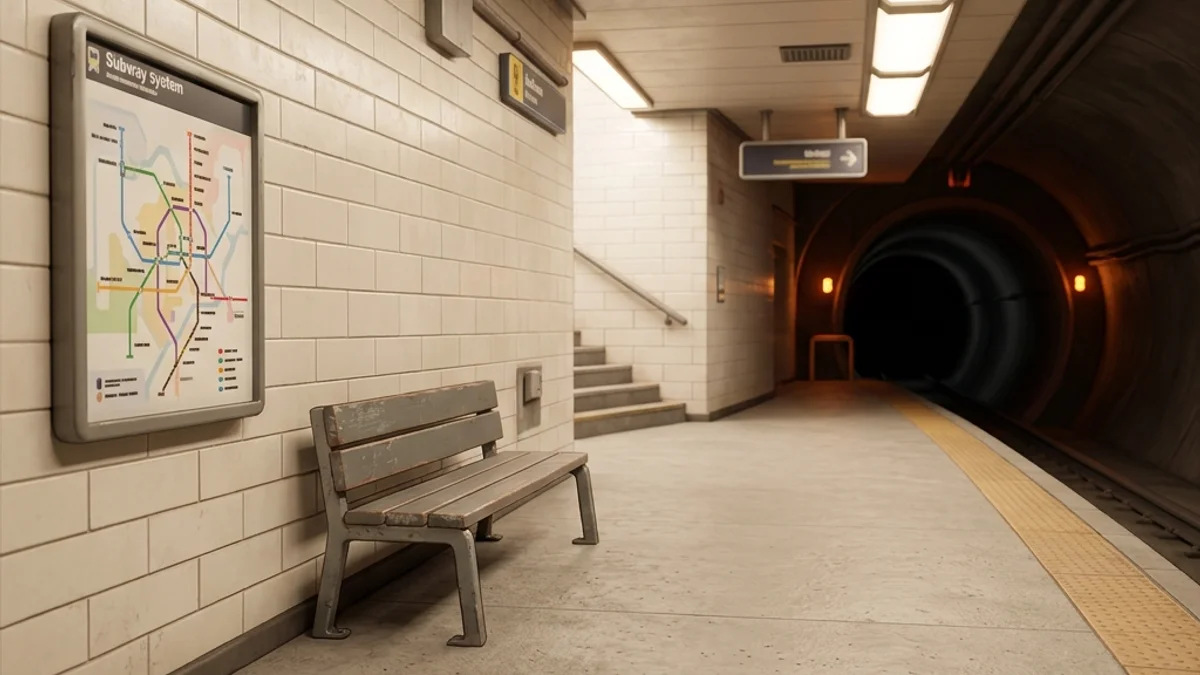
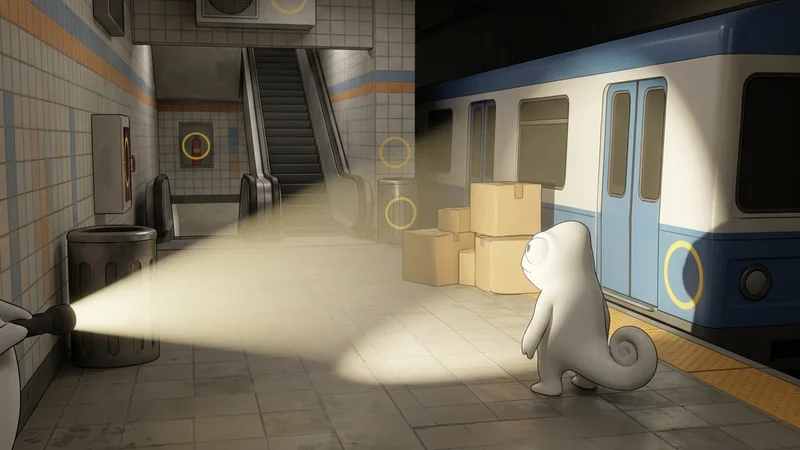
The Subway Station Workshop map is a large-sized, underground transit-themed level. It features a dual-track train platform, static subway cars with accessible interiors, ticketing lobbies, escalators, utility rooms, and dark maintenance tunnels. The level combines sterile, repeating wall tiles with gritty industrial dirt textures, dim fluorescent illumination, and complex metal structural pillars, offering a rich environment for advanced camouflage strategies.
This guide provides a comprehensive breakdown of the map’s layout, strategic hiding spots, and seeker clearing routes to help you survive in the underground.
Map Overview & Layout Analysis
The Subway Station is divided into two vertical levels: the ticketing lobby on top and the platforms below:
                           SUBWAY STATION MAP LAYOUT

       +-------------------------------------------------------------+
       |                       [Ticketing Lobby]                     |
       |                  (Gate Turnstiles & Machines)               |
       +-------+--------------------+--------------------+-----------+
       |       |                    |                    |           |
       | [Left |    [Platform A]    |    [Platform B]    | [Right    |
       | Tunnel|  (Stationary Train)|  (Waiting Benches) |  Tunnel]  |
       |       |                    |                    |           |
       +-------+--------------------+--------------------+-----------+
       |                      [Escalator Incline]                    |
       |                  (Metal Steps & Handrails)                  |
+-------------------------------------------------------------+- Ticketing Lobby: The upper level. Contains ticket vending machines, turnstiles, and informational maps on the walls.
- Platform A & B: The lower level. Platform A has a stationary train car with open doors, while Platform B features concrete columns and metal benches.
- Tunnels: Dark zones extending from both platforms. High-risk zones due to pitch-black environments.
- Escalator Incline: The main path connecting the two levels. Features long, diagonal metal structures.
How to Subscribe Safely
To avoid version mismatches and download locks when installing Subway Station, follow these guidelines:
- Steam Workshop Subscription: Open the Steam client, navigate to the Workshop page for Meccha Chameleon, search for “Subway Station,” and click Subscribe.
- Download Verification: Check the Steam downloads queue and wait for the download to finish. Do not start the game while the workshop item is downloading.
- Local Test Run: Boot the game, create a private local server, and select the Subway Station map. Walk around for 1-2 minutes to let the game cache the train physics meshes.
- Security Notice: Do not download manual
.pakfiles from external links. If you run into download loops, see our Workshop Mod Safety Guide.
Detailed Hider Strategies
1. The Tile Wall Alignment Trick
The repeating grid of the subway tiles makes it easy for hiders to hide in plain sight.
- Positioning: Stand flat against the tiled walls near the ticketing gates.
- Color Sample: Sample the off-white or green tile color.
- Painting: Draw dark grey horizontal and vertical lines on your character model matching the wall’s grout lines.
- Settings: Set roughness to
0.4and metallic to0.0. Ceramic tiles have a slight sheen; a small amount of specular reflectivity makes the blend look natural. Use the tips in the Painting Basics Guide for best results.
2. Escalator Step Integration
The escalator steps consist of grooved metal plates that form repeating vertical lines.
- Positioning: Stand on an escalator step and look upward.
- Painting: Paint your body dark grey. Use a fine brush to draw close, vertical black stripes down your entire front.
- Result: A seeker running up or down the escalator will pass you by, as your stripes blend with the grooved texture of the steps.
3. Tunnel Light Boundary Concealment
The entrance of the train tunnels transitions from bright platform lighting to pitch-black shadows.
- Positioning: Stand exactly at the boundary where the light fades into shadow.
- Painting: Paint your front bright orange/yellow (matching the platform lights) and your back deep black (matching the tunnel).
- Result: Seekers coming from either direction will experience depth-perception confusion, as your model’s colors match the transition zone.
Seeker Counters
1. Ticket Machine and Turnstile Checks
Hiders love to hide on top of or behind ticket machines due to the geometric density.
- Action: Sweep the top of all ticket vending units. Look for any model parts extending beyond the clean box design.
- Collision Test: Run into the gates and turnstiles. If you get blocked by an invisible obstacle, strike it.
2. Audio Tracking on Escalators
Hiders on escalators frequently adjust their paint, which makes a faint scratching sound.
- Detection: Listen closely as you run near the escalators. If you hear painting sounds, search the steps.
- If you experience lag while loading the Subway Station, check out the optimizations in Steam Deck Hider Tips or read the Compatibility Index.
Platform Compatibility & Performance (CVL)
- Steam Deck: Rated Playable (with tweaks). The escalator geometry and train reflections can cause stutters. Set shader quality to Medium.
- Mac OS (CrossOver): Rated Playable. Ensure Esync/Msync is enabled to prevent frame drops when train meshes are rendered.
- Check the full Subway Station Compatibility sheet for specific specs.