
School Hallway Workshop Map Guide
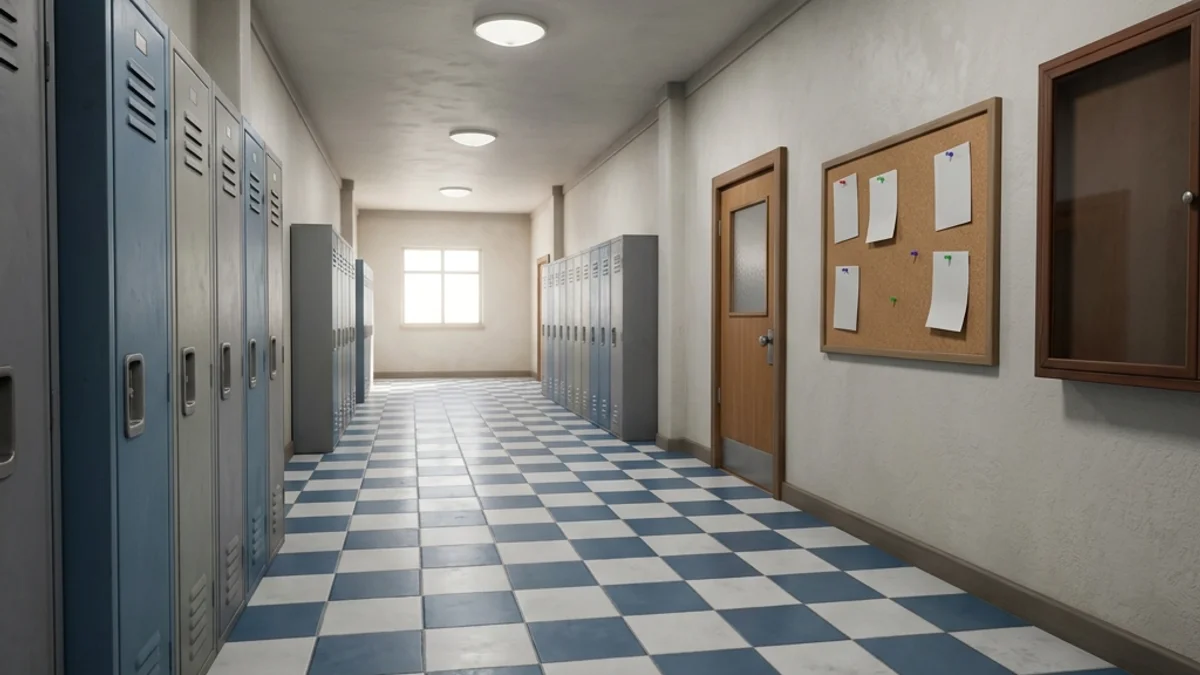
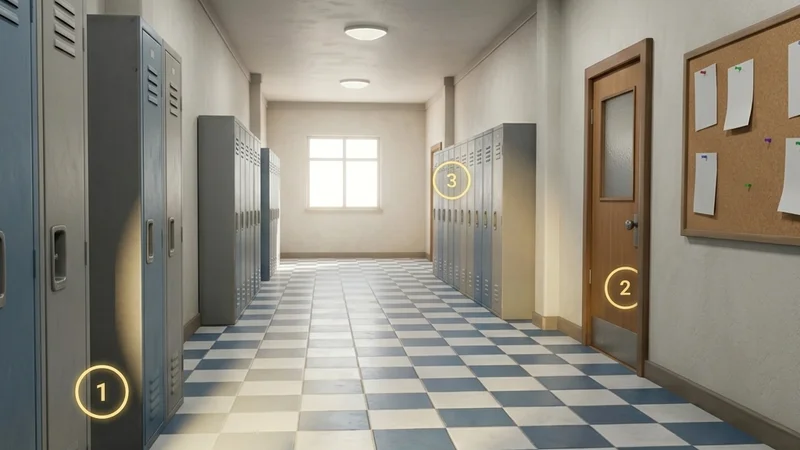
The School Hallway custom map is a medium-sized, high-fidelity level set in a classic high school campus. It features long corridors lined with metal lockers, multiple classrooms, a cafeteria, and a gymnasium. The clean, repeating geometry of the lockers and desks provides excellent opportunities for camouflage based on pattern repetition.
This guide provides a comprehensive breakdown of the map’s layout, strategic hiding spots, and seeker clearing routes.
Map Overview & Layout Analysis
School Hallway is structured around two main intersecting corridors:
                          SCHOOL HALLWAY LAYOUT

                               [The Gymnasium]
                               (High Rafters)
                                     |
               +---------------------+---------------------+
               |                                           |
         [Classroom 101]                             [Classroom 102]
         (Desk & Chair Grids)                        (Whiteboard Blends)
               |                                           |
               +---------------------+---------------------+
                                     |
                          [Main Locker Corridor]
                                     |
               +---------------------+---------------------+
               |                                           |
        [The Cafeteria]                              [The Staff Room]
(Vending Machines) (Bookshelves)- Main Locker Corridor: The primary pathway. It features rows of green and grey metal lockers, bulletin boards, and drinking fountains.
- Classrooms 101 & 102: Detailed interiors containing student desks, plastic chairs, teacher desks, and whiteboards.
- The Gymnasium: A large open space with basketball hoops, climbing ropes, folded mats, and an elevated stage area.
Detailed Hider Strategies
1. The Locker Row Blend (Main Corridor)
The lockers are arranged in long, identical rows, which creates visual pattern fatigue for seekers.
- Technique: Choose a locker row and stand flat against an unused locker door.
- Color Matching: Paint your body to match the locker’s metallic green or grey.
- Roughness & Metallic: Set roughness to
0.3and metallic to0.8to match the sheet metal texture. - Ventilation Lines: Use the paint grid tool to draw the diagonal ventilation slats on your chest and legs. This breaks up your outline, making you look like an integrated part of the locker door. Refer to the Painting Basics Guide for brush control tips.
2. Classroom Desk Integration (Classrooms)
Classrooms are packed with repeating desk and chair geometry.
- Strategy: Stand directly behind a desk, aligning your legs with the metal chair legs.
- Crouch Pose: Enter the Crouch pose to align your torso height with the plastic chair backs.
- Coloring: Paint your lower body black/grey (matching the steel legs) and your upper body blue or orange (matching the plastic chair shells). Seekers sweeping the classroom will overlook you, assuming you are simply another seat.
3. Bulletin Board Collage
Bulletin boards are covered in colorful posters and student drawings.
- Technique: Stand flat against the bulletin board.
- Painting: Paint your body in a patchwork of bright squares (red, blue, yellow) to simulate individual posters.
- Result: The extreme color variance makes it impossible for seekers to detect your silhouette from a distance. If you encounter color picker bugs, refer to the Color Picker Fix Guide.
Seeker Counters
1. Systematic Locker Sweeping
Because hiders love the locker rows, you must sweep them methodically.
- Action: Walk along the locker rows, swinging your crosshair horizontally at head height. Watch for any protruding model meshes.
- Collision Test: Run directly against the locker doors. If your character slides outward or stops moving, shoot that spot.
2. Whiteboard Contrast Checks
Classroom whiteboards are flat, clean surfaces.
- The Shadow Trick: Hiders standing against the whiteboard are easily exposed. Even if they paint themselves white, their character model will cast a distinct shadow onto the whiteboard when lit by your flashlight.
- Action: Shine your flashlight directly at the whiteboard from a side angle. Any cast shadow indicates a hider.
- If you experience connection hangs when loading this map, see the Stuck on Connecting Fix or the Invite Not Working Fix.
Platform Compatibility & Performance (CVL)
School Hallway features simple shaders and baked light maps, making it highly compatible across all platforms.
- Steam Deck: Rated Stable. The map runs at a locked 60 FPS without thermal throttling or performance drops.
- Mac CrossOver: Highly stable. Standard wine configurations run the level without driver resets.
- Review all ratings on the Compatibility Index Page.