
Office Space Workshop Map Guide
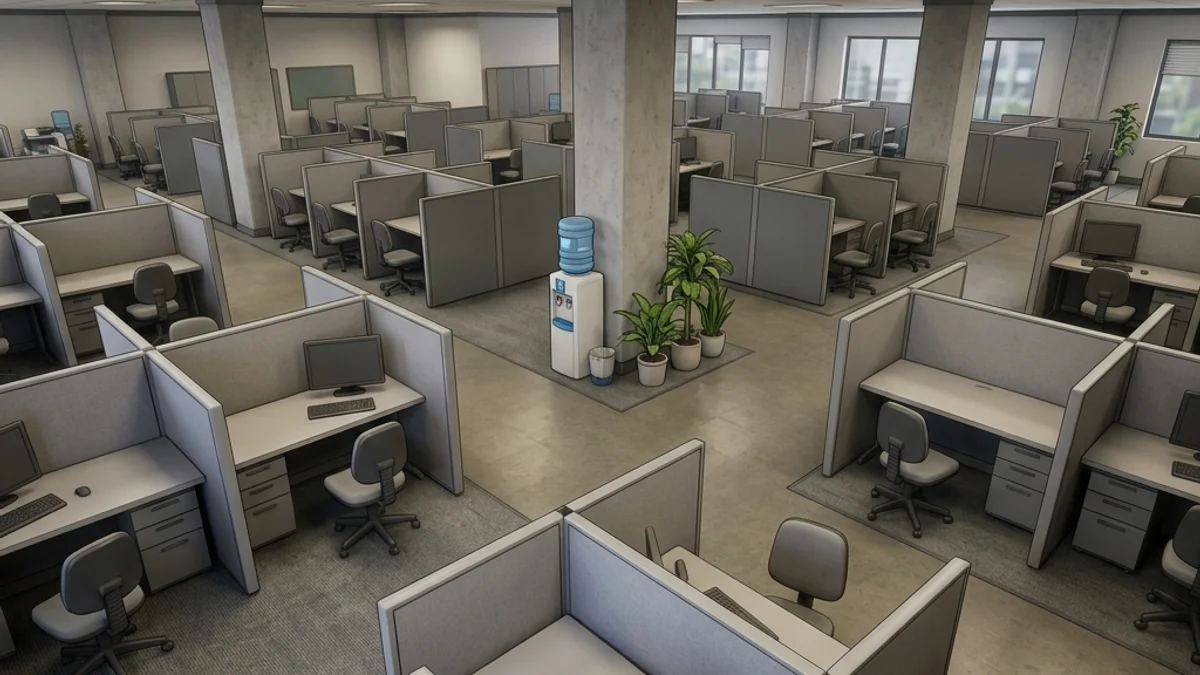
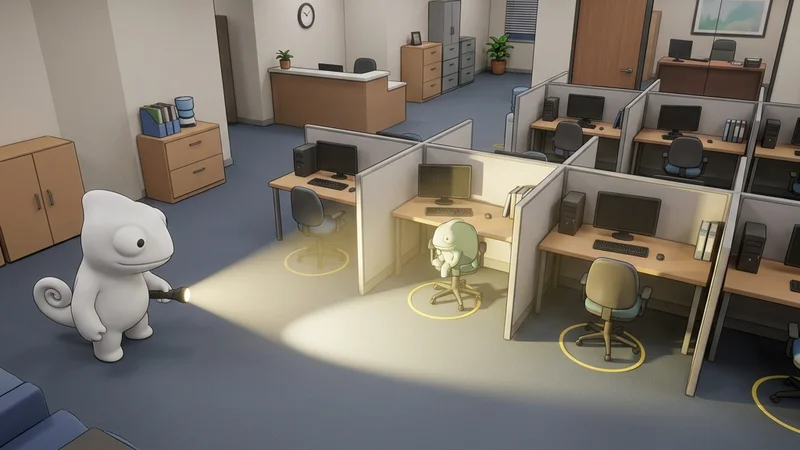
The Office Space Workshop map is a medium-sized, corporate office level for Meccha Chameleon. The environment features a dense cubicle grid, a break room, a server closet, a manager’s office, and a reception area. The moderate asset count and repeating office furniture textures make it a balanced map for both performance and camouflage opportunities.
This guide provides a comprehensive breakdown of the map’s layout, hiding strategies, and seeker counter-tactics.
Map Overview & Layout Analysis
Office Space is organized as a compact office floor with distinct functional zones:
                        OFFICE SPACE MAP LAYOUT

        +---------------------------------------------------+
        |                    [Manager's Office]              |
        |                  (Desk & Bookshelf)                |
        +--------+-------------------+----------------------+
        |        |                   |                      |
  [Server  |  [Cubicle Grid]    [Break Room]          [Reception]
  Closet]  |  (Dense Partitions) (Counter & Fridge)    (Desk & Plants)
        |        |                   |                      |
        +--------+-------------------+----------------------+
        |                  [Main Corridor]                   |
+---------------------------------------------------+- Cubicle Grid: The core of the map. Dense rows of identical cubicles with fabric partitions, desks, and computer monitors create repeating patterns.
- Break Room: A small kitchen area with counters, a fridge, and a microwave. Complex appliance geometry breaks silhouettes.
- Server Closet: A dark, narrow room with server racks and blinking LEDs. High contrast between lit and shadowed zones.
- Manager’s Office: A separate room with a larger desk, bookshelf, and window. More open space but fewer hiding spots.
- Reception Area: The entrance zone with a curved desk, indoor plants, and waiting chairs.
Detailed Hider Strategies
1. Cubicle Partition Pattern Matching
The fabric partitions create repeating vertical lines that are ideal for camouflage.
- Positioning: Stand flush against a cubicle divider, aligning your center seam with the partition edge.
- Painting: Paint your lower half desk-wood tones and your upper half the partition fabric color (typically beige or light grey).
- Reflectivity: Set roughness to
0.7to match the matte fabric finish. - For paint alignment tips, see the Painting Basics Guide.
2. Break Room Counter Blending
The kitchen counters have complex appliance geometry that breaks silhouettes.
- Positioning: Stand directly beside the microwave or fridge, aligning your body with the appliance edge.
- Painting: Use metallic silver-grey tones to match the appliance surfaces, with white accents for the counter.
- Result: Seekers scanning the break room will register you as part of the appliance cluster.
3. Server Closet Shadow Hiding
The server room is dark with blinking LED lights on the racks.
- Positioning: Stand between two server racks in the darkest corner.
- Painting: Use near-black with small painted LED dots (static, but effective at a glance).
- Result: The low ambient light and visual clutter make you nearly invisible without a direct flashlight.
4. Reception Plant Pot Crouching
The reception lobby features large ceramic planters filled with broad-leafed plastic indoor plants.
- Positioning: Hide directly behind or inside the base of a plant pot.
- Painting: Paint your lower body a dark terracotta red or polished white (roughness 0.2) to match the ceramic pot surface, and paint your upper body deep leaf green.
- Result: Seekers walking past the entrance will visually group you as part of the decorative foliage.
Seeker Counters
1. Cubicle Row Sweeps
The dense cubicle grid requires methodical clearing.
- Action: Walk each cubicle row, checking under desks and behind chair backs.
- Melee Sweep: Use your primary melee strike to hit chairs and CPUs. Any physical obstacle blocking your path is a hider.
- Shadow Check: Shine your flashlight under desks. Look for shadows that don’t align with the desk legs.
2. Server LED Verification
Hiders painting LED dots on their models will have static lights.
- Action: Watch suspicious server racks for 2 seconds. If the “LEDs” do not blink, shoot them.
3. Reception Desk Corner Checks
The reception area’s curved desks create natural blind spots behind computer screens.
- Action: Walk behind the reception counter and sweep the chair spaces.
- Detection: Look for character model parts protruding from behind the desk partition seams.
- For lag troubleshooting on this map, see the Steam Deck Hider Tips page.
Platform Compatibility & Performance (CVL)
- Steam Deck: Rated Stable. Moderate asset count keeps frame rates stable at 40 FPS.
- Mac CrossOver: Rated Playable (with tweaks). Shader pre-compilation recommended on first load.
- Check the full Office Space Compatibility details.