
Office Chaos Workshop Map Guide
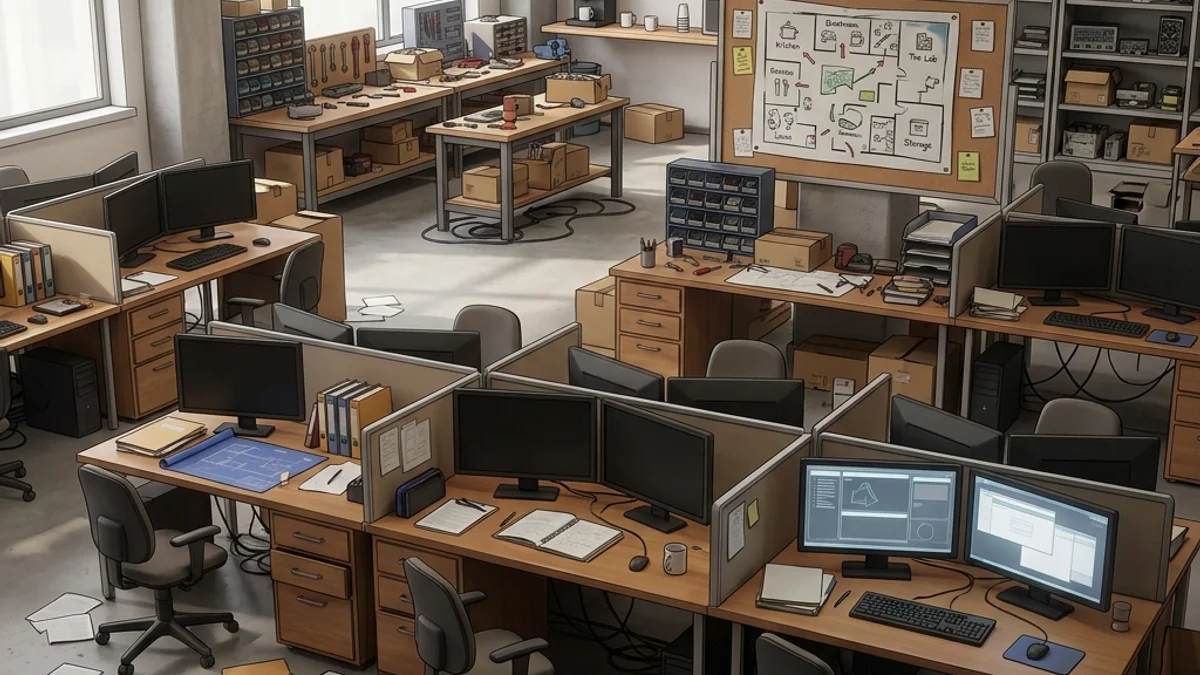
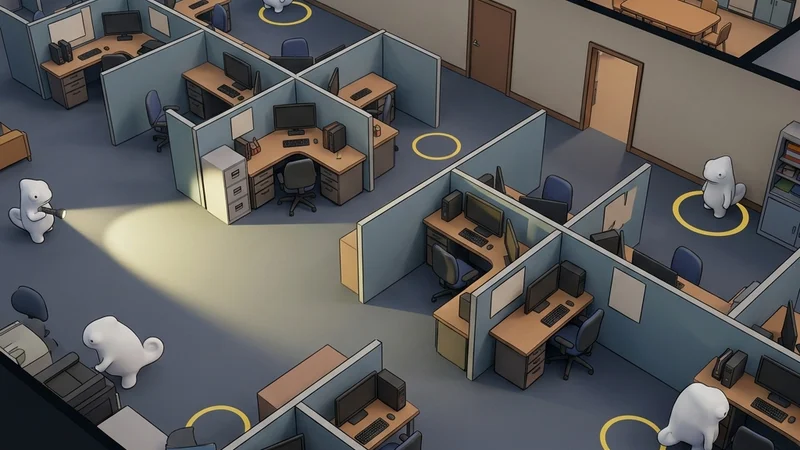
The Office Chaos Workshop map is a large-sized, highly detailed multiplayer level set in a sprawling, multi-room corporate office. The environment includes a reception lobby, a maze of cubicle partitions, a server storage room, a printer station, a break room, and an executive board room. The combination of repeating office furniture, complex electronics geometry, and contrasting shadow zones under the desks makes it an exceptional playground for hiders and seekers alike.
This guide provides a comprehensive breakdown of the map’s layout, strategic hiding spots, and seeker clearing routes to help you navigate this corporate maze.
Map Overview & Layout Analysis
Office Chaos is divided into multiple high-traffic zones separated by narrow hallways and cubicle walls:
                           OFFICE CHAOS MAP LAYOUT

       +-------------------------------------------------------------+
       |                        [Server Room]                        |
       |                    (Server Racks & Cables)                  |
       +-------+--------------------+--------------------+-----------+
       |       |                    |                    |           |
       | [Break|   [Cubicle Maze]   |  [Printer Room]    | [Board    |
       |  Room]|  (Repeating Desks) | (Photocopiers/Toner)|  Room]   |
       |       |                    |                    |           |
       +-------+--------------------+--------------------+-----------+
       |                     [Reception Lobby]                       |
       |                   (Curved Desk & Plants)                    |
+-------------------------------------------------------------+- Reception Lobby: The main entrance zone. Features a large, curved reception desk, indoor potted plants, and visitor sofas.
- Cubicle Maze: The core of the map. Dozens of identical cubicles containing computers, keyboards, swivel chairs, and desk dividers.
- Server Room: A dark room filled with rows of server cabinets, cable trays hanging from the ceiling, and flickering LED indicators.
- Printer Room: A small alcove containing large industrial copy machines, shelves stacked with paper rims, and paper shredders.
- Board Room: A spacious conference room featuring a massive wooden table, leather chairs, and a whiteboard wall.
How to Subscribe Safely
To ensure a smooth, crash-free experience when playing Office Chaos, follow this safety workflow:
- Direct Workshop Subscription: Open the Steam client, navigate to the Workshop page for Meccha Chameleon, search for “Office Chaos,” and click Subscribe.
- Queue Management: Avoid subscribing to multiple maps at the same time. Steam pre-allocates file storage which can freeze your client if done concurrently.
- Local Pre-Run: Launch the game and create a local single-player server. Load the map to compile the complex office shaders (like the plastic screens and server LEDs) before playing with others.
- Version Verification: Ensure your game client and the server host are both running the latest patch version. Mismatched versions can lead to immediate connection hangs. If you experience lobby setup issues, consult our Workshop Mod Safety Guide.
Detailed Hider Strategies
1. Cubicle Partition Alignment
The fabric partition walls create repeating lines that can easily break up your silhouette if aligned correctly.
- Positioning: Stand directly against a cubicle divider, aligning your character model’s center seam with the edge of the divider.
- Pose: Use the crouching pose to match the height of the desk surfaces.
- Painting: Paint your lower half light wood or plastic grey to match the desk. Paint your upper half a textured beige or light green to match the fabric divider.
- Reflectivity: Set roughness to
0.7and metallic to0.0to match the matte finish of the fabric. Consult the Painting Basics Guide for paint grid tips.
2. The Photocopier Mimic (Printer Room)
Photocopiers are complex, dark metallic objects that seekers rarely scan in detail.
- Positioning: Stand flush against the side of a photocopier machine.
- Painting: Paint your body a matte charcoal grey. Draw a light blue rectangular box on your chest to simulate the copier’s control screen.
- Result: Seekers sweeping the printer room will visually register your character model as part of the machine’s geometric outline.
3. Under-Desk Shadow Camping
The space under desks is naturally dark due to the overhead fluorescent tubes.
- Positioning: Crawl under a desk and position yourself behind the CPU tower or trash can.
- Camouflage: Paint your model near-black or deep grey to match the shadow depth.
- Result: Without a direct flashlight beam, seekers will overlook you, as the shadow masks your outline.
Seeker Counters
1. Systematic Cubicle Clears
Hiders love the cubicle maze, so you must clear them methodically.
- Action: Walk along the cubicle rows, looking down at the space under desks and behind chair backs.
- Melee Sweep: Use your primary melee strike to hit the office chairs and CPUs. Any physical obstacle that blocks your movement is a hider.
- Shadow Check: Shine your flashlight under the desks. Look for shadows that do not align with the desk legs.
2. Server LED Checks
The server room features blinking lights that are dynamic.
- Verification: Hiders painting flashing lights on their models will have static, painted dots. Watch suspicious servers for 2 seconds. If the “LEDs” do not blink, shoot them.
- If you experience stuttering on this map, review the optimizations in Steam Deck Hider Tips or the Compatibility Index.
Platform Compatibility & Performance (CVL)
- Steam Deck: Rated Playable (with tweaks). The server room and lobby plants can cause FPS drops. Reduce graphic settings to Medium.
- Mac OS (CrossOver): Rated Playable. The map runs smoothly, but shader pre-compilation is highly recommended to avoid stuttering.
- Check the full Office Chaos Compatibility report for detailed benchmarks.