
Japanese Street Workshop Map Guide
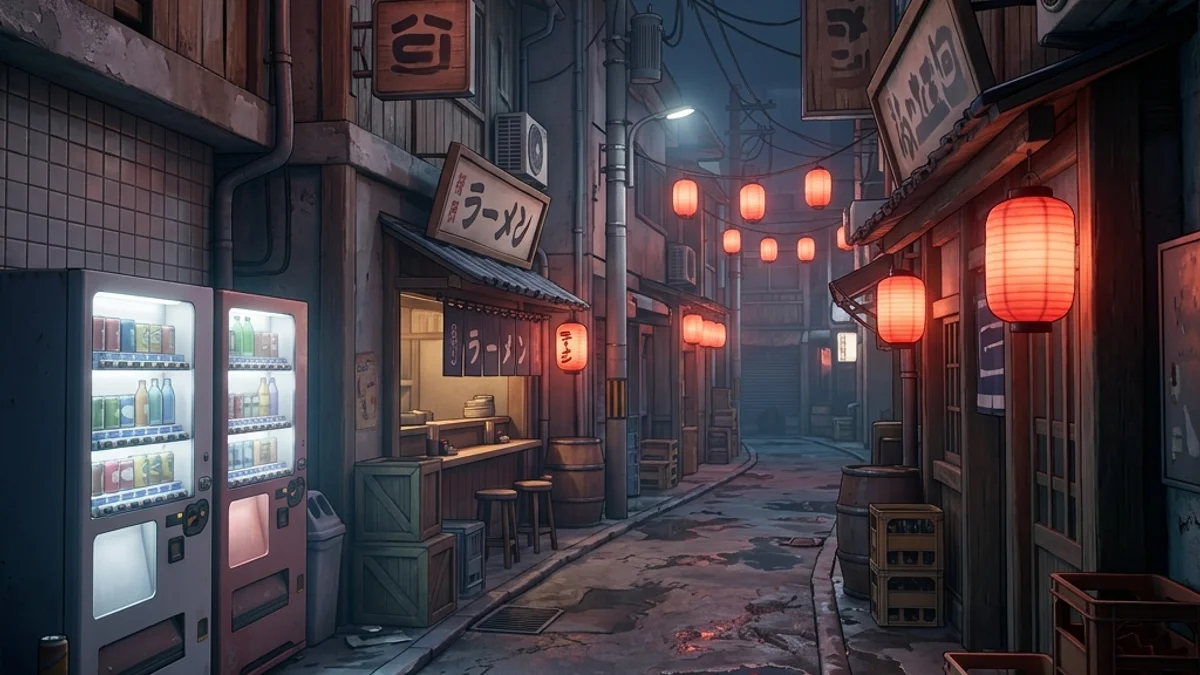
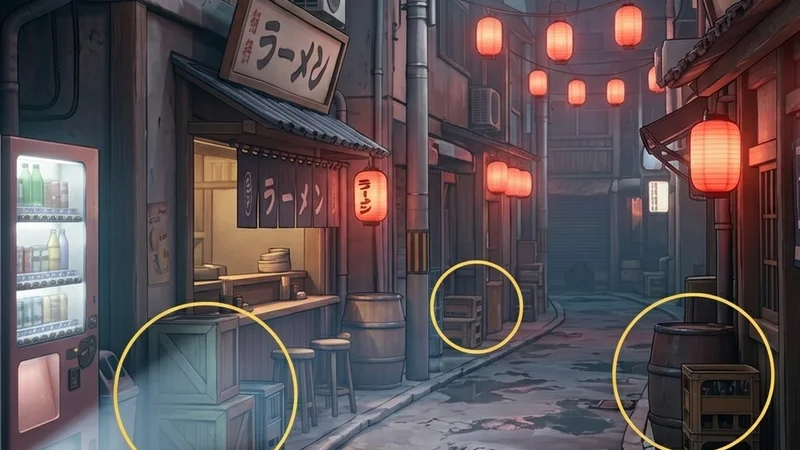
The Japanese Street custom map is a highly detailed, urban-themed level for Meccha Chameleon. Set in a rainy, neon-lit alleyway district, it features dense prop placement, multiple vertical layers, and complex reflections caused by ground puddles. This map offers a high skill ceiling for both hiders and seekers due to its extreme visual noise.
This guide provides a comprehensive breakdown of the map’s layout, strategic hiding zones, and seeker counter-sweeps.
Map Overview & Layout Analysis
Japanese Street is structured around a central road split by a series of narrow, intersecting alleys:
                          JAPANESE STREET LAYOUT

                           [Rooftops / Balconies]
                                     |
               +---------------------+---------------------+
               |                                           |
       [Neon Sign Corridor]                         [Ramen Shop Loft]
       (Bright Camouflage)                          (Vertical Poses)
               |                                           |
               +---------------------+---------------------+
                                     |
                          [Central Commercial Road]
                                     |
               +---------------------+---------------------+
               |                                           |
      [Convenience Store]                          [The Narrow Alleys]
(Dual-exit Escape) (A/C Unit Climbing)- The Commercial Road: The main street lined with glowing storefronts, a bus stop, and parked scooters. This area has the highest light intensity and reflectivity.
- The Narrow Alleys: A maze of tight passages filled with trash bins, electrical boxes, utility poles, and air conditioning compressors.
- The Convenience Store (Conbini): A fully accessible interior zone with shelves of products, bright white fluorescent lighting, and a rear staff exit.
Detailed Hider Strategies
1. Blend into Neon Signs (Neon Sign Corridor)
The commercial road features large, glowing billboards and signs.
- Technique: Paint your base color a bright cyan or hot pink.
- Roughness: Set your roughness to
0.1or lower. - Positioning: Stand directly in front of the neon signs, aligning your character model with the glowing border. The seeker’s camera will adjust to the high brightness of the sign, making your matching silhouette virtually invisible.
- For tips on resolving color picker issues, refer to the Color Picker Fix Guide.
2. Leverage Utility Pole Clutter (Alleyway Grids)
The utility poles in the alleys are draped in cables, transformers, and small gray junction boxes.
- Strategy: Climb onto the trash bins, jump onto the electrical box, and assume the Curl or Crouch pose on top of the pole’s metal support arm.
- Color Matching: Paint your body a weathered, metallic gray. Add fine lines to match the black cables wrapping around the pole.
- Refer to the Hider Tips Guide for advanced pose information.
3. Convenience Store Shelf Blending (Conbini Interior)
The convenience store shelves are packed with multi-colored product boxes.
- Technique: Stand in the gaps between product boxes on the shelves.
- Painting: Paint your body with a vertical stripe pattern containing red, blue, and yellow boxes to simulate packaging labels.
- Escape Route: Keep your camera aimed at the doors. If a seeker enters, slip out the rear staff door into the alleyway network.
Seeker Counters
1. Specular Highlights on Ground Puddles
The rainy ground puddles reflect the neon signs and any players standing in front of them.
- The Reflection Trick: If a hider is standing on a neon sign, their reflection in the ground puddle will not match the sign’s clean shape. Look for distortions in the puddle reflections.
- Flashlight Sweeps: Sweep your flashlight across the dark alleys. The beam will catch the specular reflection of any hider whose roughness setting does not match the matte brick walls.
2. Physical Collision Sweeps in Alleys
The alleys are narrow, forcing players into single-file lanes.
- Action: Sprint through the alleyways while rubbing your character against the walls and props.
- Result: Since hiders cannot disable their physical hitboxes, you will immediately bump into them even if they are perfectly camouflaged. Shoot any invisible block you collide with.
- If you experience loading hangs on this map, review the Black Screen Loading Guide and Stuck on Connecting Fix.
Platform Compatibility & Performance (CVL)
Due to the heavy use of emissive neon shaders and puddle reflections, Japanese Street is rated High Resource on the CVL index.
- Steam Deck: Set your graphics presets to Low and toggle Half Rate Shading ON to maintain a stable 30 FPS.
- Mac CrossOver: Mac players should launch with the
-dx11launch option to bypass DirectX 12 translation blocks that can cause device reset crashes on this map. - Review all platform ratings on the Compatibility Index Page.