
Hospital Ward Workshop Map Guide
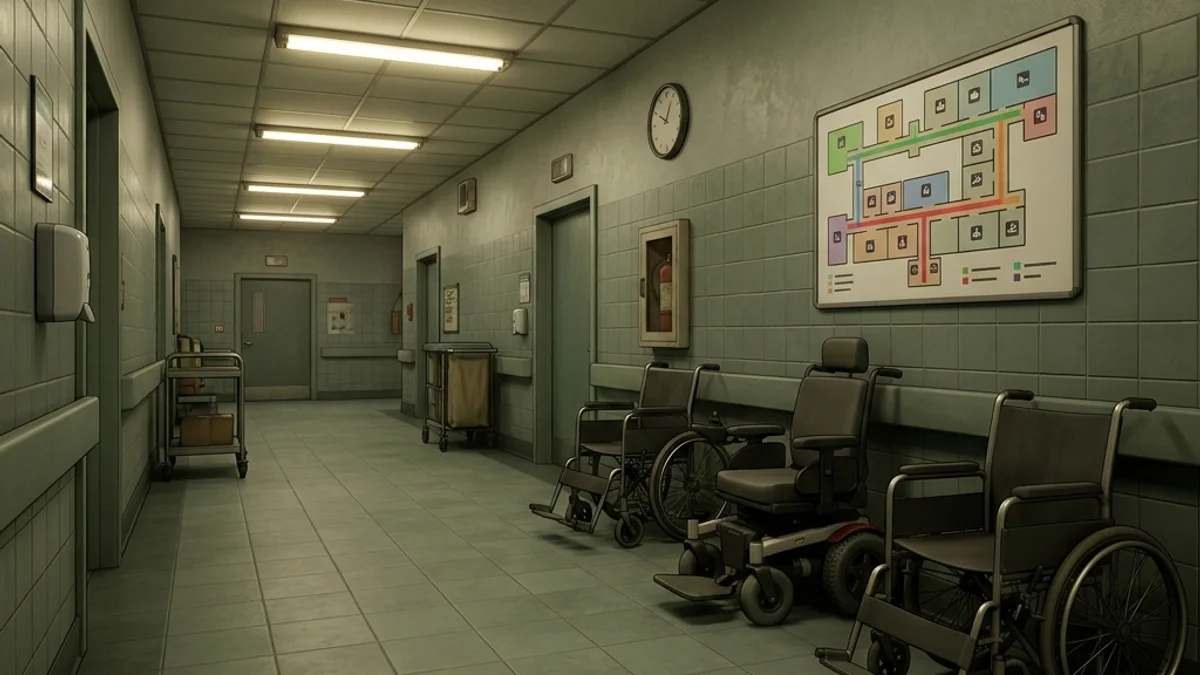
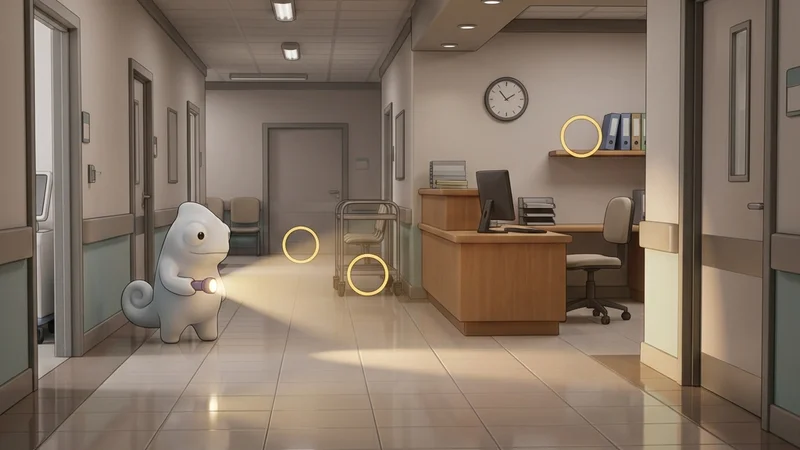
The Hospital Ward Workshop map is a medium-sized, clinical hospital level for Meccha Chameleon. The environment features patient rooms, a nurse station, supply closets, a waiting area, and long corridors with polished floor tiles. The reflective floors and repeating white-and-blue colour scheme create unique camouflage challenges and hardware demands.
This guide provides a comprehensive breakdown of the map’s layout, hiding strategies, and seeker counter-tactics.
Map Overview & Layout Analysis
Hospital Ward is organized as a multi-wing clinical facility:
                       HOSPITAL WARD LAYOUT

        +---------------------------------------------------+
        |              [Supply Storage / Back Room]          |
        |            (Shelving Units & Medical Crates)       |
        +--------+-------------------+----------------------+
        |        |                   |                      |
  [Patient | [Nurse Station]   [Patient Room B]       [Waiting
  Room A]  | (Counter & Desk)  (Curtains & Bed)        Area]
        |        |                   |                      |
        +--------+-------------------+----------------------+
        |              [Main Corridor / Polished Floor]      |
        |            (Reflective Tiles & Fluorescent)        |
+---------------------------------------------------+- Main Corridor: A long, straight corridor with highly polished floor tiles that reflect overhead fluorescent lights. The reflective surface is both a visual feature and a performance challenge.
- Patient Rooms: Individual rooms with hospital beds, privacy curtains, and bedside monitors. The curtain textures create repeating vertical patterns.
- Nurse Station: A central counter area with desks, computers, and medical charts. Complex desk geometry breaks silhouettes.
- Supply Storage: A back room with shelving units, medical crates, and equipment. Tight spaces with abundant hiding spots.
- Waiting Area: An entrance zone with chairs, a reception desk, and potted plants.
Detailed Hider Strategies
1. Floor Tile Pattern Matching
The polished floor tiles create a repeating grid that is ideal for camouflage.
- Positioning: Stand flush against a corridor wall, aligning your body with the floor tile grid.
- Painting: Paint your body white or light blue to match the hospital colour scheme. Add subtle grey grid lines matching the tile grout spacing.
- Reflectivity: Set roughness to
0.2to match the glossy floor finish. The high reflectivity helps you blend into the polished surface. - For paint technique details, see the Painting Basics Guide.
2. Patient Curtain Blending
The privacy curtains have repeating vertical fabric folds.
- Positioning: Stand behind a curtain, aligning your body with the fabric folds.
- Painting: Use light blue or white tones matching the curtain colour. Add subtle vertical crease lines to simulate fabric texture.
- Result: Seekers scanning the patient rooms will see you as part of the curtain wall.
3. Supply Closet Shelf Hiding
The supply room shelves are packed with medical equipment and boxes.
- Positioning: Stand between supply shelves, aligning your body with the shelf edge.
- Painting: Use white or light grey tones matching the medical supply boxes. Add subtle detail lines to simulate box labels.
- Result: The cluttered shelf environment breaks your silhouette against the surrounding equipment.
4. Nurse Station Counter Integration
The central nurse station has a low wooden counter board that runs horizontally around the desk grid.
- Positioning: Stand or crouch flush against the nurse station desk panel.
- Painting: Paint your model in two horizontal segments: a dark grey lower half matching the desk chassis, and a polished oak wood grain on your upper half matching the top counter.
- Result: Seekers rushing past the central hub will assume your model is part of the counter woodwork.
Seeker Counters
1. Floor Reflection Analysis
The polished floors reflect character models, creating a secondary detection method.
- Action: Walk the corridors slowly and look at the floor reflections ahead of you.
- Detection: Hiders standing against walls will have their reflections visible on the polished floor tiles. The reflection will appear as a distorted colour patch on the floor surface.
2. Curtain Sweep Check
Hiders behind curtains are difficult to spot visually.
- Action: Enter each patient room and physically walk through the curtain areas, using your character’s collision to detect hiders.
- Detection: If your movement is blocked by an invisible obstacle behind a curtain, a hider is present.
3. Melee Clears on Waiting Chairs
The waiting lobby chairs are arranged in close, identical rows.
- Action: Sweep your melee weapon along the plastic chair rows.
- Detection: Hiders often crouch on or between the seats. A quick physical check ensures no hider is masquerading as a plastic seat cushion.
- For reflection quality adjustments, see the Steam Deck Hider Tips.
Platform Compatibility & Performance (CVL)
- Steam Deck: Rated Playable (with tweaks). Reflective floor tiles cause frame drops. Set reflection quality to Low and cap FPS to 30.
- Mac CrossOver: Rated Unstable. SSR shader effects trigger crashes. Not recommended.
- Low-end PC: Rated Playable (with tweaks). Disable screen-space reflections entirely for stable performance.
- Check the full Hospital Ward Compatibility details.