
Horror Mansion Workshop Map Guide
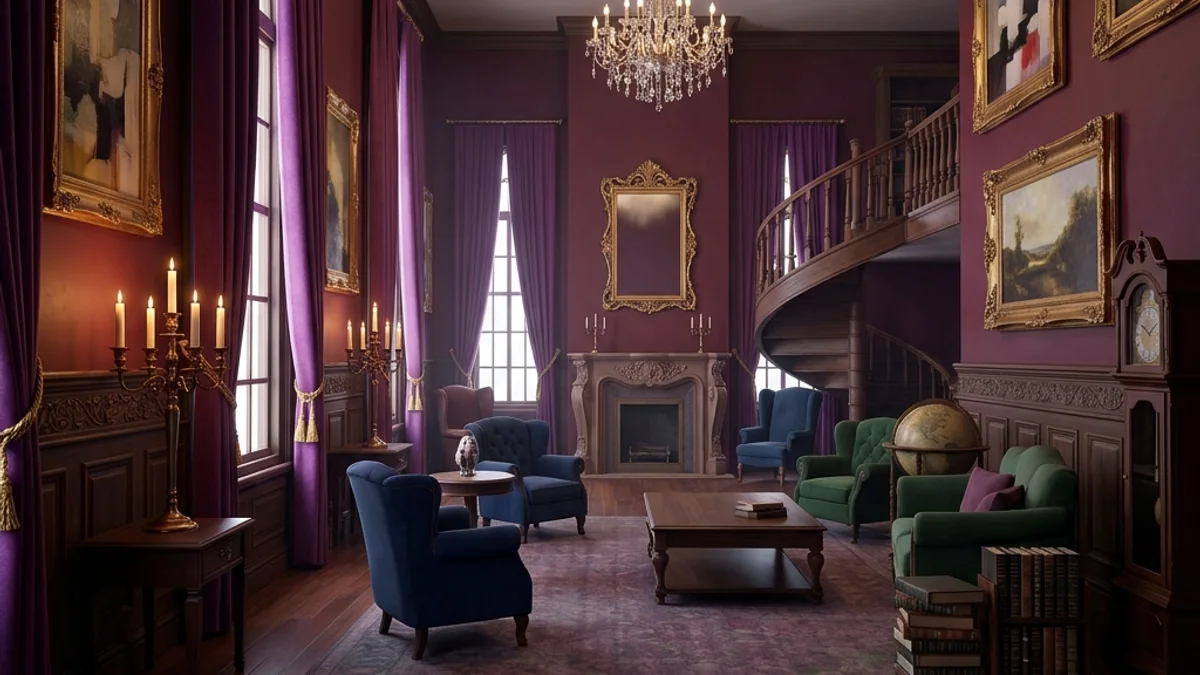
The Horror Mansion custom map is a popular community-designed level for Meccha Chameleon. It combines narrow corridors, multi-floor verticality, and dynamic, flickering lighting to create a high-tension atmosphere. Unlike bright, flat maps, Horror Mansion favors hiders who understand shadow casting and dark wood paneling texture alignment.
This guide provides a comprehensive breakdown of the map’s layout, strategic hiding zones, and seeker counter-sweeps.
Map Overview & Layout Analysis
Horror Mansion is divided into three primary zones:
                          HORROR MANSION LAYOUT

                         [Upper Balcony / Bedrooms]
                                     |
               +---------------------+---------------------+
               |                                           |
         [The Library]                               [Master Bedroom]
         (Secret Passage)                            (Shadow Closets)
               |                                           |
               +---------------------+---------------------+
                                     |
                          [The Grand Foyer / Stairs]
                                     |
               +---------------------+---------------------+
               |                                           |
         [Dining Hall]                               [The Basements]
(Dark Paneling) (Generator Room)- The Grand Foyer: The central hub connecting the ground floor to the upper balcony. It features large columns, a wide staircase, and a massive chandelier that casts moving shadows.
- The Library: A dense, multi-tiered room filled with bookshelves, study desks, and a hidden passageway behind a pivoting bookcase.
- The Basements: A series of narrow concrete tunnels and boiler rooms with low ceilings and zero natural light, making it a high-risk hiding area.
Detailed Hider Strategies
1. Master the Wood Paneling (Foyer & Dining Hall)
The ground floor walls are lined with dark, vertical mahogany paneling.
- Technique: Paint your base body a deep, desaturated reddish-brown.
- Grid Tool: Use the fine brush to paint vertical black stripes across your arms and torso. When you assume the Wall-Flat pose against the wood panels, align these stripes with the physical seams of the wall.
- Positioning: Stand between the wall sconce lights—never directly underneath them, as the downlight will highlight your head profile.
2. Leverage the Flickering Light Zones (Library & Bedrooms)
Several rooms feature flickering overhead lamps that strobe every 2 to 3 seconds.
- The Strobe Trick: Seekers scanning these rooms will experience temporary visual fatigue due to the light switching. Position yourself behind props (like armchairs or desks) in these strobe zones.
- Color Matching: Sample the wall texture color only during the active light phase. When the light cuts out, your model will blend into the dark automatically. If you sample during the dark phase, you will look like a bright white silhouette when the light flashes back on.
- For tips on handling color sampling bugs, refer to the Color Picker Fix Guide.
3. Vertical Shelf Placement
Horror maps feature high fireplaces, bookshelves, and decorative rafters.
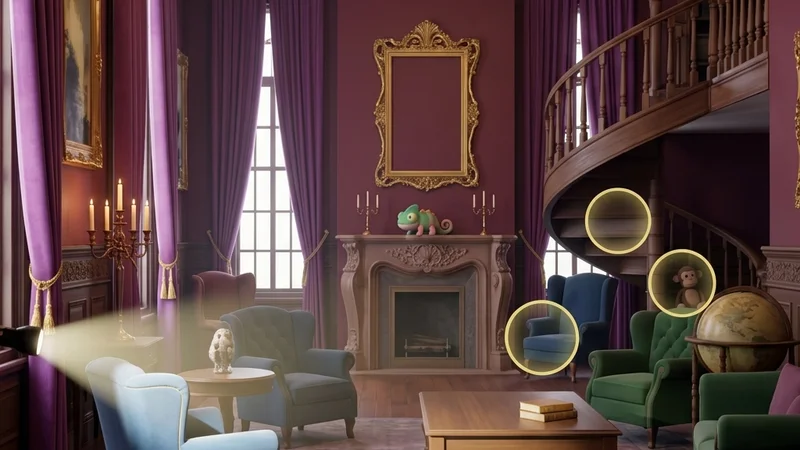
- Strategy: Climb the staircase, hop onto the wooden banister, and jump onto the fireplace mantelpiece in the Foyer.
- Pose: Enter the Curl pose to reduce your profile to that of a decorative vase or clock. Seekers entering the Foyer typically sweep the floor base first, rarely raising their crosshair to the ceiling level.
Seeker Counters
1. Flashlight Shadow Analysis
In the dark rooms of Horror Mansion, your flashlight is your primary weapon, but it can also expose your approach.
- The Specular Check: Shine your flashlight at suspicious dark patches on the wood walls. If a patch reflects a plastic-like shine (low roughness), shoot it immediately.
- Cast Shadows: Watch the background wall when you sweep your light over furniture. If an extra shadow profile appears behind a cabinet, a chameleon is likely hiding on top of it.
2. Audio Tracking During Strobe Cycles
When the lights flicker off, hiders often use the moment of darkness to adjust their position or paint configurations.
- Action: Stand silent inside the Library during a light-out cycle. Listen for the distinct rustling sound of a character changing poses or accessing the paint menu.
- For advanced audio troubleshooting, review the Voice Chat Not Working Fix or Mic Not Working Fix.
Platform Compatibility & Performance (CVL)
Due to the complex shadow casting and high asset count inside the library and basement, Horror Mansion is rated Moderate on the CVL index.
- Steam Deck: Ensure you cap your frame rate to 30 FPS to avoid thermal throttling when rendering dynamic shadow maps in the Foyer.
- Mac CrossOver: Toggle D3DMetal ON to ensure stable translation of UE5 lighting shaders.
- Check the full ratings database on the Compatibility Index Page.